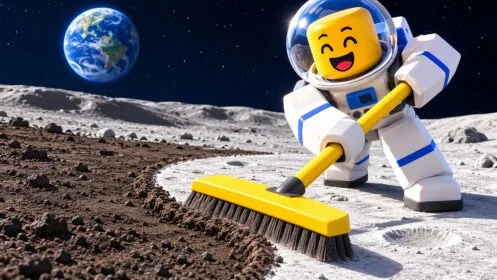
Equipment

Turbo Vac

A later vacuum described as collecting a large amount of dust quickly. Confirm costs, drop rates, and unlocks in the live [πŸŽƒ] Clean the Moon! experience.

Turbo Vac

Player guide for the Roblox experience [πŸŽƒ] Clean the Moon! by Lunarlit Works: sell-pad cash, upgrade boards, cleaning robots, the lunar base, badges, and the Halloween window.

What is Turbo Vac?

At 16:16 the equipment panel shows Turbo Vac and a buy button. The description on that panel emphasizes fast dust collection. It is not documented as a meteor-only tool.

Published facts

Turbo Vac facts
FactValue
HubEquipment

How do you get Turbo Vac?

BUY button visible at $450.00 in that recording. Prerequisites were not listed.

How do you use Turbo Vac?

Consider it after the manual sell loop is stable and the price on your panel is one you can earn back. Re-read the button. $450.00 is one snapshot.

FAQ

[πŸŽƒ] Clean the Moon! roster questions

What should I buy when I keep filling up?

If the tank-full warning sends you back after a short sweep, look at the Backpack upgrade on the BAG tab. If strokes feel slow after you can carry more, look at Sweep Width and Power on the tool you have equipped. Moon boots are an official upgrade line, but a speed number and price were not documented.

Is this the same game as Moon Sweepers?

No. Moon Sweepers is a Windows Steam game from DragDrop Games. A different Roblox experience also uses a similar name and starts players with a toothbrush, gems, and dust shipments. This wiki is only the Lunarlit Works experience linked from the official Roblox page.

What is [πŸŽƒ] Clean the Moon!?

It is a Roblox simulation by Lunarlit Works. You sweep moon dust, space junk, and meteor debris, sell what you collect for cash, upgrade your gear, unlock cleaning robots, and expand a lunar base. Progress on your moon saves, and friends can clean with you.

How do you earn cash?

Clean the surface, watch the backpack counter, and sell when the tank is full. A public playthrough shows a sell pad, a building marked SELL, and yellow arrows. One early prompt read GET $0.50. That figure is one sale prompt, not a price for every piece of debris.

Are there working codes?

The official game page does not list promo codes, rewards, or a redemption menu. This site does not publish unconfirmed code strings. Group rewards mentioned by Lunarlit Works are not the same as a code.